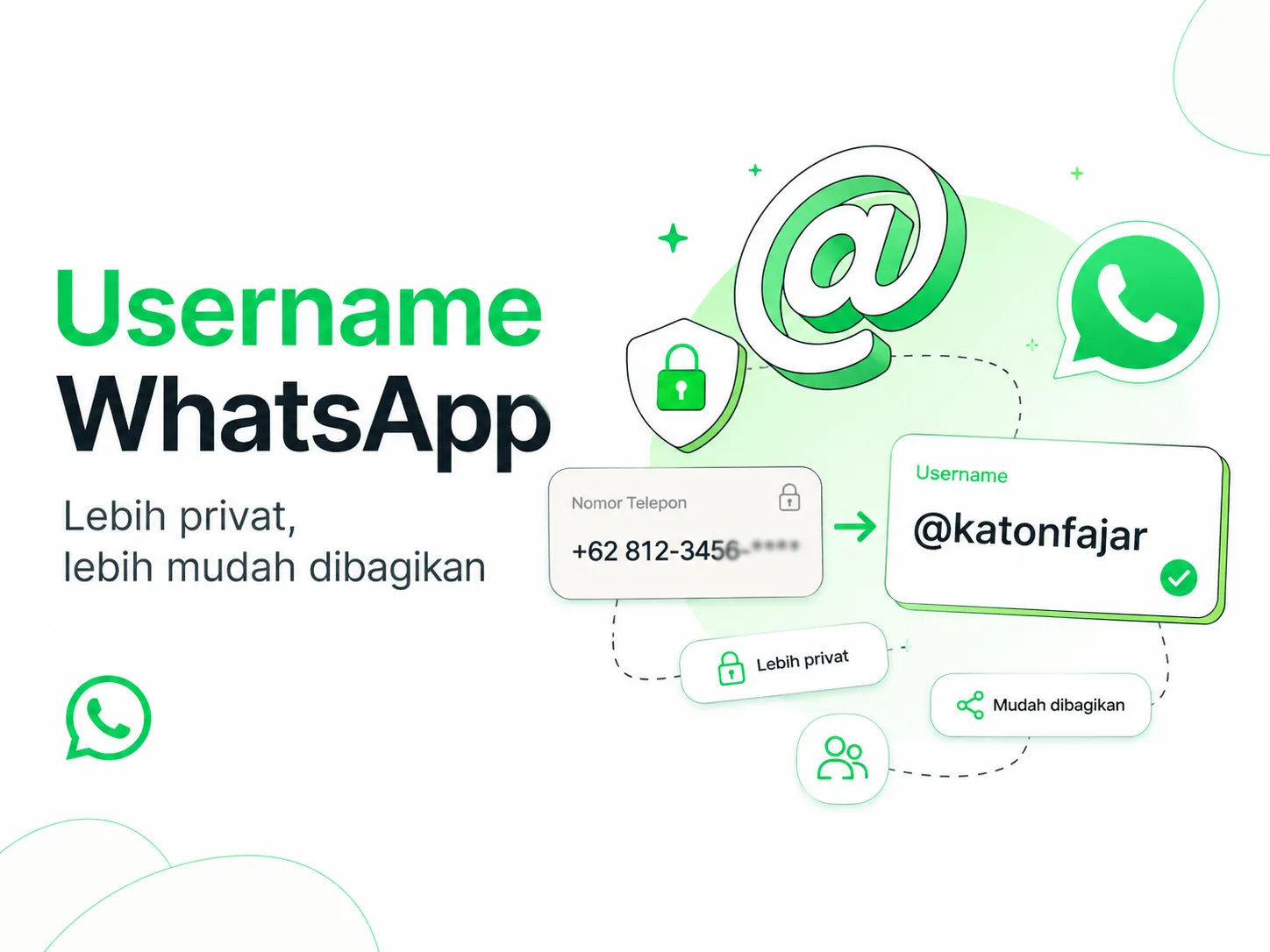
WABetaInfo reported on April 8, 2026, that WhatsApp was preparing to roll out the username feature to a small group of users over the coming months. This feature is designed so users can communicate without immediately sharing their phone numbers, which explains why many accounts may still not see the username button in their profile settings.
Twilio WhatsApp Usernames Changelog states that starting in June 2026, WhatsApp will begin rolling out usernames as an optional feature, especially affecting how users interact with businesses. When a user communicates through a username, the phone number may no longer appear in webhooks and can be replaced by a Business Scoped User ID, or BSUID.
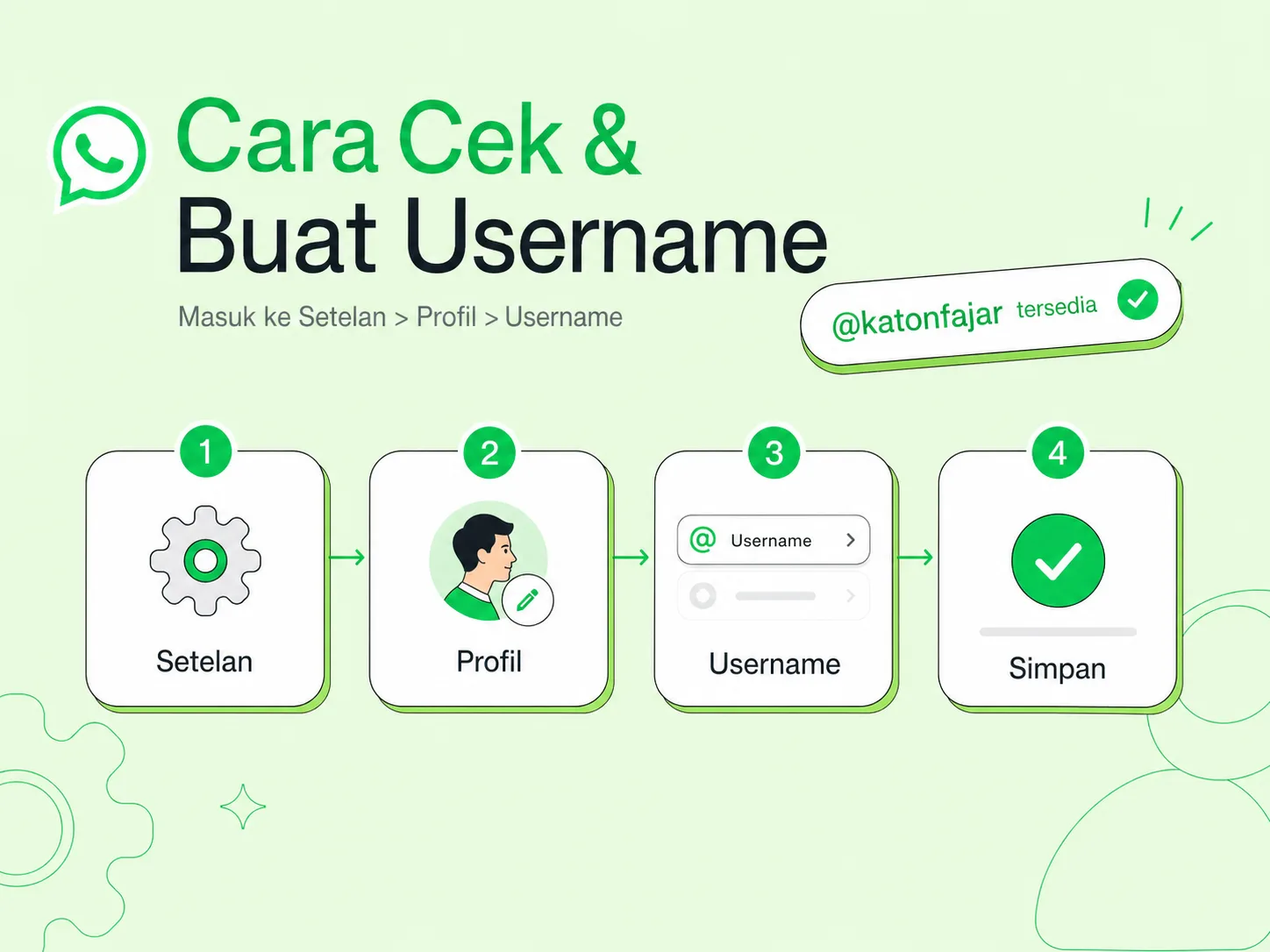
You can create a WhatsApp username by opening WhatsApp > Settings > Profile > Username if the feature is already available on your account. If the username button is not showing yet, your account may not be included in the phased rollout, your app may not have received the feature activation, or the feature may still be limited to beta users and selected accounts.
WhatsApp Help Center still explains that registering a WhatsApp account requires an active phone number for verification. So, a WhatsApp username does not mean users can create an account without a number. It works more like an additional identity layer so users do not always need to share their phone number when starting a conversation.
Why Are People Searching for WhatsApp Username Now?
Sumber gambar: katonfajar.com
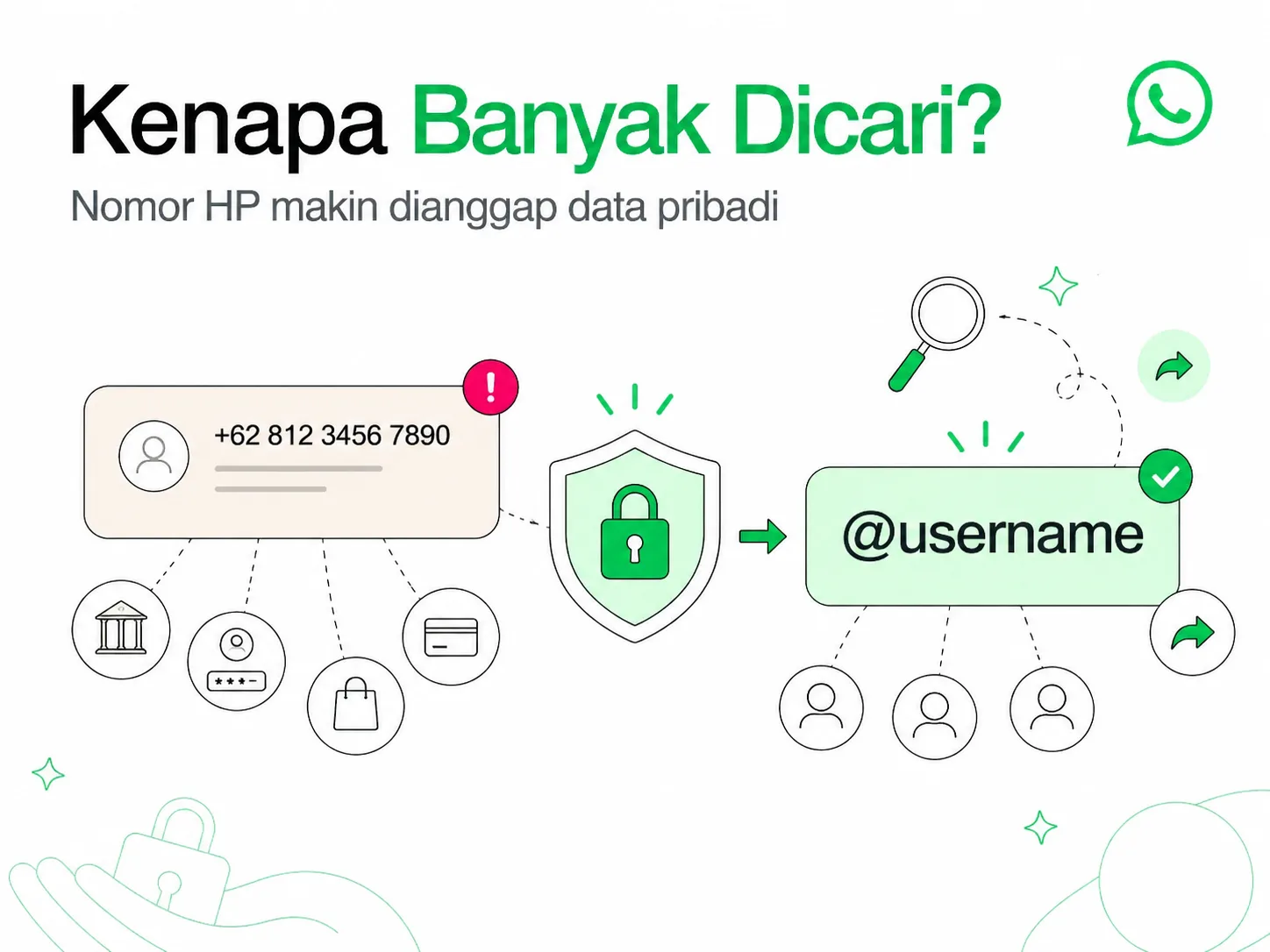
The WhatsApp username feature is getting attention because people are becoming more aware that a phone number is private data. Until now, starting a WhatsApp chat with someone new usually meant sharing your phone number first.
That creates a small but real privacy issue. A phone number is often connected to banking apps, marketplaces, work accounts, personal contacts, and other services.
WhatsApp username tries to solve that problem in a simpler way. People may be able to find or contact a WhatsApp account through a username instead of always using a phone number.
But there is a new confusion too. Many users have read about the feature, updated the app, checked settings again and again, but the username button is still missing. This usually does not mean they are doing something wrong. The feature is simply not available for everyone yet.
What Is a WhatsApp Username?
A WhatsApp username is a unique name that can work as an account identity besides a phone number. With a username, other people may be able to contact you without immediately seeing or knowing your personal number.
According to WABetaInfo, the feature is designed to make user interactions more private because phone numbers do not always need to be shared with new contacts. The feature is also being prepared for Android, iOS, Windows, and Web, although early access is still limited.
Conceptually, it is similar to usernames on Instagram, Telegram, or X. The difference is that WhatsApp was originally built around phone numbers as the main identity, so the transition cannot simply be opened to everyone instantly.
Why Does WhatsApp Username Matter in 2026?
WhatsApp username matters because it touches two major areas: user privacy and how businesses identify customers. For regular users, the most obvious benefit is reducing the need to share a phone number with every new contact.
For businesses, the impact is more technical. Twilio WhatsApp Usernames Changelog explains that when a user uses a username, WhatsApp Business webhooks may receive BSUID as a replacement for the phone number in certain fields. This means CRM systems, automation tools, and customer support platforms need to handle a new identifier, not only phone numbers.
This change may look small from the user interface, but it can be significant for backend systems. If a business database uses phone numbers as the only customer identity key, some integrations may break or become messy when certain users start appearing as BSUID.
For businesses that use WhatsApp for lead management, follow-up, sales, support, booking, or consultation, username is not just a cosmetic feature. It is part of a broader shift in how identity works inside WhatsApp.
Deep Dive: Complete Strategy and Execution Guide
How to Check Whether WhatsApp Username Is Already Available
The safest way to check the username feature is through your WhatsApp profile settings. The flow is simple, but the result depends on whether your account has received the feature or not.
a. Open WhatsApp. b. Go to Settings. c. Tap your Profile or profile photo. d. Look for a field or menu called Username. e. If it appears, tap it and start creating your username.
9to5Google also explains that users can check the feature through WhatsApp > Settings > Profile, where the username field will appear for accounts that already have access. If the field is missing, your account is likely not included in the rollout yet.
So, there is no need to search for it inside chats, privacy settings, storage settings, or random hidden corners of the app. If the feature is active, WhatsApp will show it in the profile section.
How to Create a WhatsApp Username If the Feature Is Available
Sumber gambar: katonfajar.com
If the username button already appears, the creation process should feel similar to setting a username on other social platforms. You choose an available name, confirm it, and save it to your WhatsApp account.
Use a username that is easy to read and not too complicated. For personal branding, choose a format that is consistent with your digital identity, such as your real name, brand name, or a clean short variation.
For business accounts, avoid random usernames. A username like rooma21support, katonfajar, or jakartapropertycare is easier to understand than a long mix of numbers and symbols.
If the username is already taken, you need to choose another variation. WhatsApp may also connect username availability with the Meta ecosystem, so usernames already used on Instagram or Facebook may affect the claiming process.
WhatsApp Username Requirements You Need to Know
WhatsApp usernames cannot be created randomly. There are character rules to make usernames safer, clearer, and less likely to be misused.
According to WABetaInfo, a WhatsApp username must be between 3 and 35 characters, use lowercase letters, numbers, dots, or underscores, and include at least one letter. A username also cannot start with www. and cannot end like a domain name, such as .com or .net.
These rules make sense because WhatsApp wants to prevent usernames that look like official website addresses. If someone could create usernames like www.bankname.com, the risk of impersonation would become much higher.
A safer format usually uses a personal name or brand name without confusing styling. Examples include katonfajar, katon.fajar, or katon_fajar.
Why Is the WhatsApp Username Button Not Showing?
The most common reason is that your account is not included in the rollout yet. New WhatsApp features are often released gradually, not instantly to every country, device, and account.
TechRadar reported that the username feature was only available to a limited number of beta users, and even beta users may not get instant access. So, updating the app does not always guarantee the feature will appear.
Another reason could be that your app version does not support the feature yet, your account has not received server-side activation, or the regional rollout has not reached your area. WhatsApp may activate the feature based on account status, device type, app version, region, or a combination of those factors.
If the username button is still missing, the safest step is to update WhatsApp from the Play Store or App Store and check again from time to time. Avoid installing unofficial APK files just to chase a new button because account security is more important than early access.
Can a WhatsApp Username Replace a Phone Number?
Not completely. A WhatsApp username can help hide a phone number in certain interactions, but a WhatsApp account still needs a phone number for registration and verification.
WhatsApp Help Center explains that users must register with an active phone number and verify it using a registration code. So, username is not a replacement for phone number registration. It is an additional identity layer that reduces the need to share your number with other people.
This difference is important. If any content claims that WhatsApp username lets users create an account without a phone number, that claim should be treated carefully.
A more accurate way to understand it is this: WhatsApp username may make first contact more private. The phone number still exists behind the account, but it may not always need to be visible to new contacts.
What Is WhatsApp Username Key?
Username key is an additional code that can be used together with a username. Its purpose is to prevent everyone who knows your username from immediately contacting you.
WABetaInfo explains that username key is optional and consists of four digits. If enabled, a new contact needs to know both your username and key before starting a conversation.
This is useful for users who want to be discoverable but not fully open to everyone. For example, you may share your username with a community, event audience, or selected customers while still limiting who can start a chat.
For businesses, username key needs to be used carefully. If the goal is easy customer service access, adding too many barriers may stop potential customers from reaching out.
How WhatsApp Username Affects Business and CRM Systems
For businesses, WhatsApp username can change how customers are identified inside systems. Many CRM platforms, customer service dashboards, and automation flows currently use phone numbers as the primary customer identity.
Twilio Key Concepts for WhatsApp explains that usernames may hide a user’s phone number and allow businesses to interact through BSUID. Twilio also exposes BSUID through the ExternalUserId field so systems can still identify users when phone numbers are not available.
This means businesses need to start thinking about data mapping. Phone numbers remain important, but they should not be the only customer identifier inside the database.
For a real estate CRM, for example, one lead may have a name, phone number, email, campaign source, interested listing, follow-up history, and later possibly a BSUID. If the system only reads phone numbers, some conversations may become harder to connect with existing customer profiles.
How Businesses Can Prepare Before WhatsApp Username Becomes Wider
Businesses using WhatsApp Business API should start auditing their systems now. The goal is not to panic, but to make sure the system does not break when user identity formats change.
a. Check whether the customer database only uses phone numbers as the primary identifier. b. Prepare an additional field to store BSUID or ExternalUserId. c. Make sure the webhook handler does not force all from and to fields to be E.164 phone numbers. d. Create mapping between phone numbers, BSUID, email, and customer profiles. e. Retest automation flows for follow-up, reminders, broadcast, routing, and agent assignment.
Twilio WhatsApp Usernames Changelog recommends storing ExternalUserId, handling BSUID in the to and from fields, and mapping BSUID to customer profiles so identification remains consistent.
For small businesses using the regular WhatsApp Business app, the impact may not feel big immediately. But for businesses already using CRM, omnichannel inboxes, chatbots, or automation systems, this preparation matters so conversation data does not become fragmented.
How to Choose a Safe and Professional WhatsApp Username
A good username should be easy to remember, easy to type, and not confusing. For personal use, choose a username that matches your public identity.
If you are building a portfolio, domain, or personal brand, use a username that is the same as or close to your main identity. Examples include katonfajar, katon.fajar, or another clean variation.
For business use, choose the brand name or service function. Examples include rooma21, rooma21.support, or rooma21.sales, depending on availability and username rules.
Avoid usernames that are too similar to official institutions, banks, marketplaces, or major brands. Besides the risk of rejection, usernames like that can also look suspicious to potential customers.
Should You Use the Same Username as Instagram?
You can, but it depends on your privacy goals. Using the same username as Instagram or Facebook makes your digital identity more consistent and easier to find.
However, WABetaInfo also notes that using the same username may make it easier for people to connect your WhatsApp account with your Instagram or Facebook account. If you want to separate private communication from public profiles, a different username may be safer.
For personal branding, consistency is usually helpful. For personal privacy, separating usernames can be a better choice.
For businesses, consistency is usually recommended because customers tend to search for the same brand name across channels. The important thing is to keep the username short, clear, and not similar to a fake domain.
The author
Katon Fajar
Combining websites, SEO, and visual thinking so brands feel clearer, sharper, and more ready to grow.
SHRM State of AI in HR 2026 states that AI use in HR is most common in recruiting at 27%, followed by HR technology at 2...
Related posts
More posts connected through similar themes and taxonomy.
Jul 02, 2026
Glints TapLoker UX: HR Chat Alerts That Bring Users Back
SHRM State of AI in HR 2026 states that AI use in HR is most common in recruiting at 27%, followed by HR technology at 21%, and learning and developme...





Expert's summary
WABetaInfo reported on April 8, 2026, that WhatsApp was preparing to roll out the username feature to a small group of users over the coming months. This feature is designed so users can communicate without immediately sharing their phone numbers, which explains why many accounts may still not see the username button in their profile settings. Twilio WhatsApp Usernames Changelog states that starting in June 2026, WhatsApp will begin rolling out usernames as an optional feature, especially affecting how users interact with businesses. When a user communicates through a username, the phone number may no longer appear in webhooks and can be replaced by a Business Scoped User ID, or BSUID.
Katon Fajar
B2B tech partner