
Migrating a 2GB n8n Instance: Moving the Database, Saving Credentials, and Fixing Docker Compose
Saturday, Jul 18 2026
There are two things I hate the most when dealing with servers: migrating a huge database and fixing a broken Docker Compose file.
This time, I got both at once lol.
It all started because the Google Cloud trial I was using was about to expire. Around three months earlier, I had created a VM on Google Cloud to run n8n. When I first installed it, there was not much inside. Just a few experimental workflows, Telegram bots, and small automations I was still playing around with.
Since I kept using n8n, the number of workflows slowly grew. I started building an omnichannel system, Instagram workflows, a Gen AI Builder, various API credentials, webhooks, community nodes, and thousands of execution records.
Delete the old VPS, hahaha.
Without realizing it, the SQLite database had grown to almost 2GB.
The problem was that the Google Cloud trial kept counting down. Google Cloud obviously did not care whether my workflows were still running or whether I had backed up my Telegram bot credentials yet lol.
Before the trial credits ran out and the old VM was deleted, I had to move the entire n8n instance to a new VPS running AlmaLinux and aaPanel.
The goal was not just to make the n8n login page appear again. Every workflow, credential, user account, webhook, community node, binary file, and execution history had to remain intact.
So, in this article, I want to talk a little about how to migrate n8n safely, specifically from an old GCP server to a new AlmaLinux server using Docker and aaPanel.
Securing a 2GB SQLite Database
Have you ever moved a production server whose SQLite database had grown to almost 2GB?
Well, I just did that for flow.bisnisgo.id.
In simple terms, there were three main components I had to move:
-
The
.envfile containing the encryption key and n8n configuration. -
The SQLite database and the rest of the data stored in the Docker volume.
-
The
docker-compose.ymlfile used to run n8n on the new server.
The most important part was actually the .env file.
n8n credentials are stored in the database in encrypted form. To read the old passwords, tokens, and API keys on the new server, n8n needs the exact same encryption key.
It looks something like this:
N8N_ENCRYPTION_KEY=YOUR_OLD_ENCRYPTION_KEY If the 2GB database is successfully moved but the encryption key is left behind, the credentials may still appear in the dashboard, but their contents will not be decrypted correctly.
Before creating the backup, I stopped the old container first so SQLite would not be modified by any active workflows.
docker stop CONTAINER_NAME After that, I compressed all n8n data into a single backup file:
tar -czf /root/n8n-full-backup.tar.gz \ -C /var/lib/docker/volumes/n8n_data/_data . The original database was almost 2GB, but after compression, the archive size dropped to around 935MB.
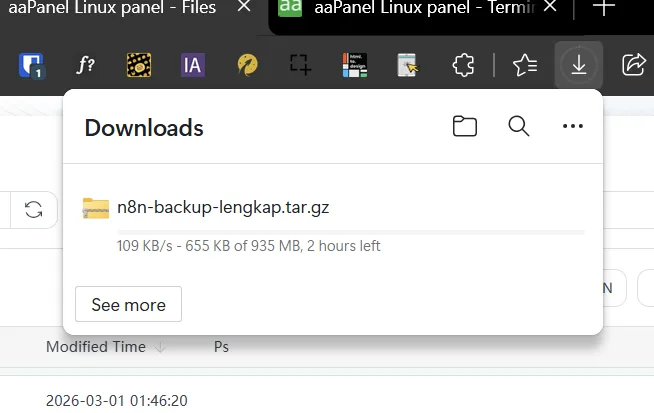
The download took almost two hours because the speed was only around 100 to 137KB per second. Truly the perfect moment for my internet connection to travel back in time.
Once the file had been transferred to the AlmaLinux VPS, I extracted the backup into the new Docker volume:
tar -xzf n8n-full-backup.tar.gz \ -C /var/lib/docker/volumes/n8n_data/_data I also made sure that database.sqlite, the community node folder, binary data, and other configuration files were actually included.
Once the database and .env file were safe, I thought the hardest part was over.
It was not.
Leftover OpenClaw Configuration in Docker Compose
After all the files had been moved, I immediately ran the magical command:
docker compose up -d The expectation was simple. Docker would pull the image, create the network, and change the container status to Started.
Instead, I got this error:
invalid spec After checking the configuration, I discovered that the docker-compose.yml file from the old server still contained leftover settings from an experimental service called OpenClaw.
That service was no longer being used. Its image and several references were also unavailable on the new server. But because the configuration block was still inside the Compose file, Docker Compose kept trying to process it.
Could the Compose stack run?
ABSOLUTELY... ABSOLUTELY NOT lol.
So I cleaned up the old Compose file and rebuilt the configuration to focus only on running n8n.
services: n8n: image: docker.n8n.io/n8nio/n8n:latest container_name: n8n_bot_bisnisgo restart: unless-stoppedports:
- "127.0.0.1:<code class="language-bash">****</code>:<code class="language-bash">****</code>"
env_file:
- .env
volumes:
- n8n_data:/home/node/.n8n
Before running it again, I checked the final configuration:
docker compose config This command was useful for confirming that the YAML file was valid, the .env file was being loaded, the correct volume was being used, and no ancient experimental service was still living rent-free inside the configuration.
Once the Compose file was clean, I ran it again:
docker compose up -d This time, the container started successfully, and n8n was accessible through local port 5678.
But the work was not finished yet. The container was running, but the production domain was not.
DNS and SSL Problems in aaPanel
The main domain I used was:
flow.bisnisgo.id Because n8n was running behind aaPanel’s Nginx Reverse Proxy, I had to configure DNS, SSL, and the proxy connection to n8n’s internal port.
The problem was that Let’s Encrypt SSL could only be issued after the domain pointed to the new AlmaLinux server.
But if I changed the DNS too early while the n8n container was not ready, webhook requests from Telegram and other services would be sent to a server that could not handle them yet.
So before changing the DNS, I made sure n8n was already responding through localhost:
curl -I http://127.0.0.1:**** Once the container was stable, I updated the DNS record in Cloudflare to point to the new AlmaLinux server IP.
In aaPanel, I created a Pure Static website for flow.bisnisgo.id, installed a Let’s Encrypt SSL certificate, disabled caching, and enabled Reverse Proxy with this target:
http://127.0.0.1:**** I also updated the domain configuration inside .env:
N8N_HOST=flow.bisnisgo.id N8N_PROTOCOL=https N8N_PORT=**** WEBHOOK_URL=https://flow.bisnisgo.id/After that, I restarted the container so it could load the new configuration:
docker compose down docker compose up -d The Result?
Time to test it.
I opened flow.bisnisgo.id in the browser, and the n8n login page appeared.
I logged in using the old username and password.
I COULD LOG IN! HAHAHA.
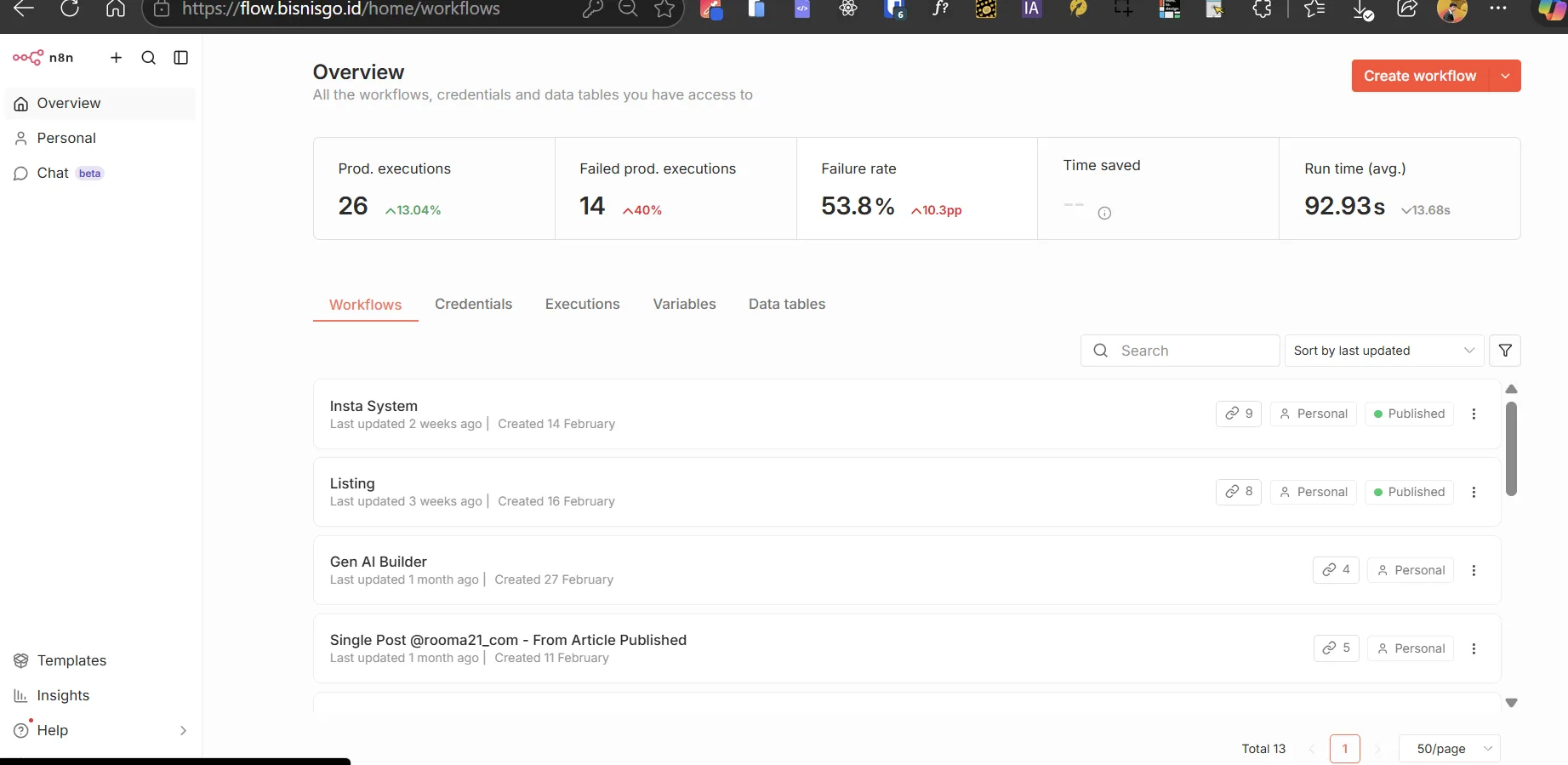
All the workflows were still there. Insta System, Gen AI Builder, Telegram bots, community nodes, and both successful and failed execution histories were completely intact.
The credentials were also still usable because the database and encryption key had been moved together.
After that, I activated the workflows one by one while monitoring the executions and logs. I did not activate everything at once because if something failed, it would be much easier to identify which workflow caused the problem.
THAT’S WHY I PREFER DOCKER FOR N8N MIGRATION INSTEAD OF A NATIVE INSTALLATION.
During a server migration, separating the image, configuration, and persistent volume makes the whole process much easier to control.
With a native NPM installation, dealing with Node.js versions, dependencies, permissions, and process managers can become a much longer problem.
This process also made me realize that n8n migration services can actually be quite valuable.
What you are selling is not just the ability to make a container show a Started status. You are making sure the database stays intact, the credentials remain readable, the webhooks become active again, and the client’s automations continue working after the server migration.
Final Note
The flow.bisnisgo.id domain is no longer active because I am no longer working at the company where that domain was used for its automation system.
There was a lot of trial and error during the migration, but that was exactly what made it interesting. From this one case, I gained a much better understanding of Docker volumes, n8n encryption keys, SQLite database structures, aaPanel deployments, and the small configuration mistakes that can take down an entire automation system.
Even though the server and domain are no longer being used, the experience is still relevant. For me, this was not just a story about moving n8n. It was one of those server challenges that significantly improved my troubleshooting skills.
And honestly, cases like this are much more interesting than installing n8n from scratch and simply watching the login page appear.
Starting a new system is easy.
The hard part is moving an existing system without making it forget everything.